Download LaraKube Desktop
Create servers, install your team’s tools and deploy apps without touching a terminal. Detected: Linux.
Looking up the latest build…
Run it
chmod +x LaraKube*.AppImage
./LaraKube*.AppImage
Or install the .deb with sudo apt install ./larakube-desktop*.deb.
First launch: Setup installs the rest
Open Setup in the app. It checks what is on your machine and installs the missing command-line tools with one click each, including Podman on Linux and WSL.
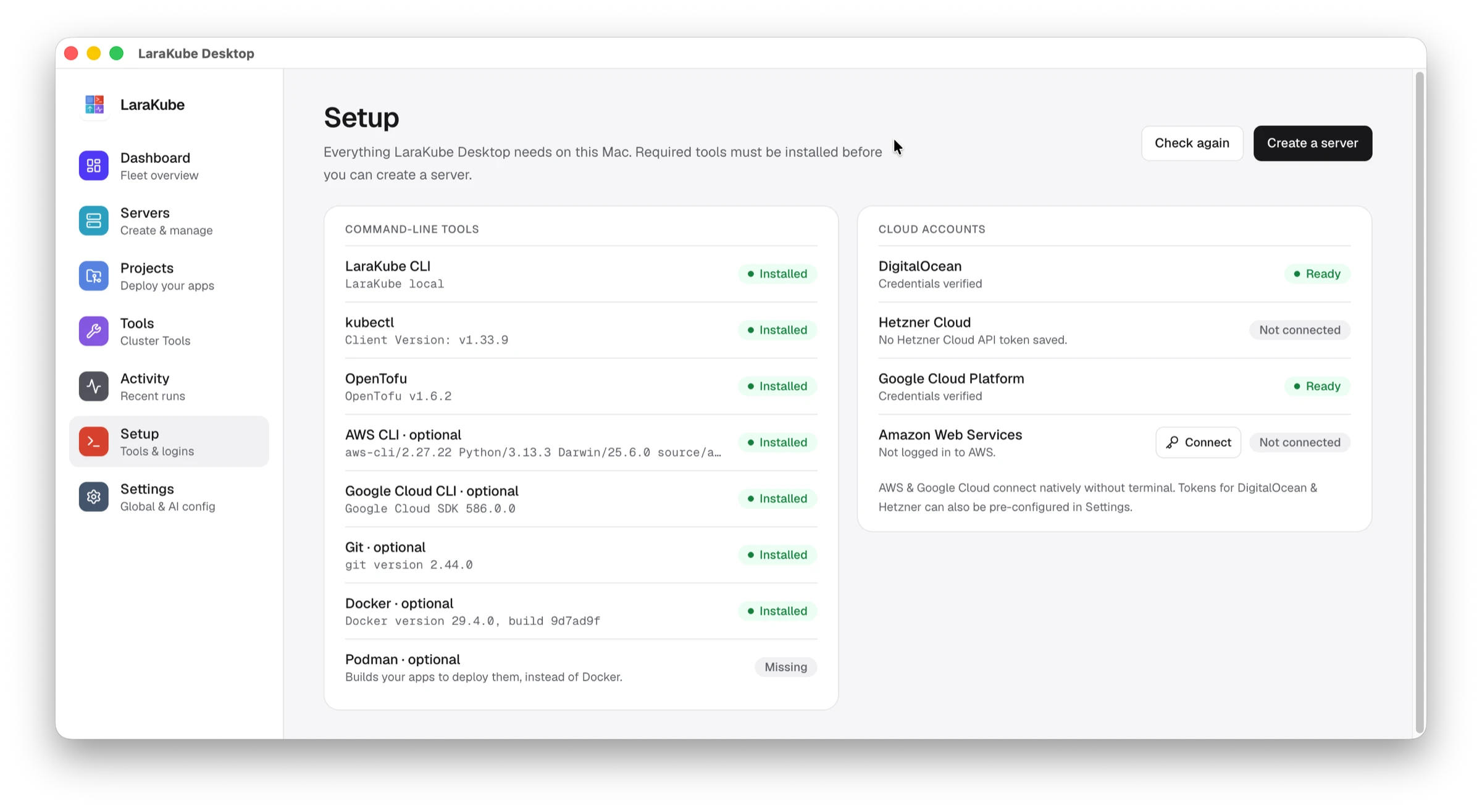
| Tool | Why | How |
|---|---|---|
| LaraKube CLI | Runs every action the app performs. | Setup installs it. |
| kubectl | Talks to your Kubernetes clusters. | Setup installs it. |
| OpenTofu | Creates new cloud servers. | Setup installs it. |
| Podman | Builds your apps before deploying them. | Setup installs it (Linux and WSL). |
Prefer the terminal? The CLI installs on its own: curl -fsSL https://cli.larakube.app/install.sh | bash. Then Deploy your first app or install a tool from the Tools page. See the documentation.