Tools
Cluster Tools are self-hosted apps your team uses, such as chat, a wiki, single sign-on and a password manager. Each one gets its own address and sign-in.
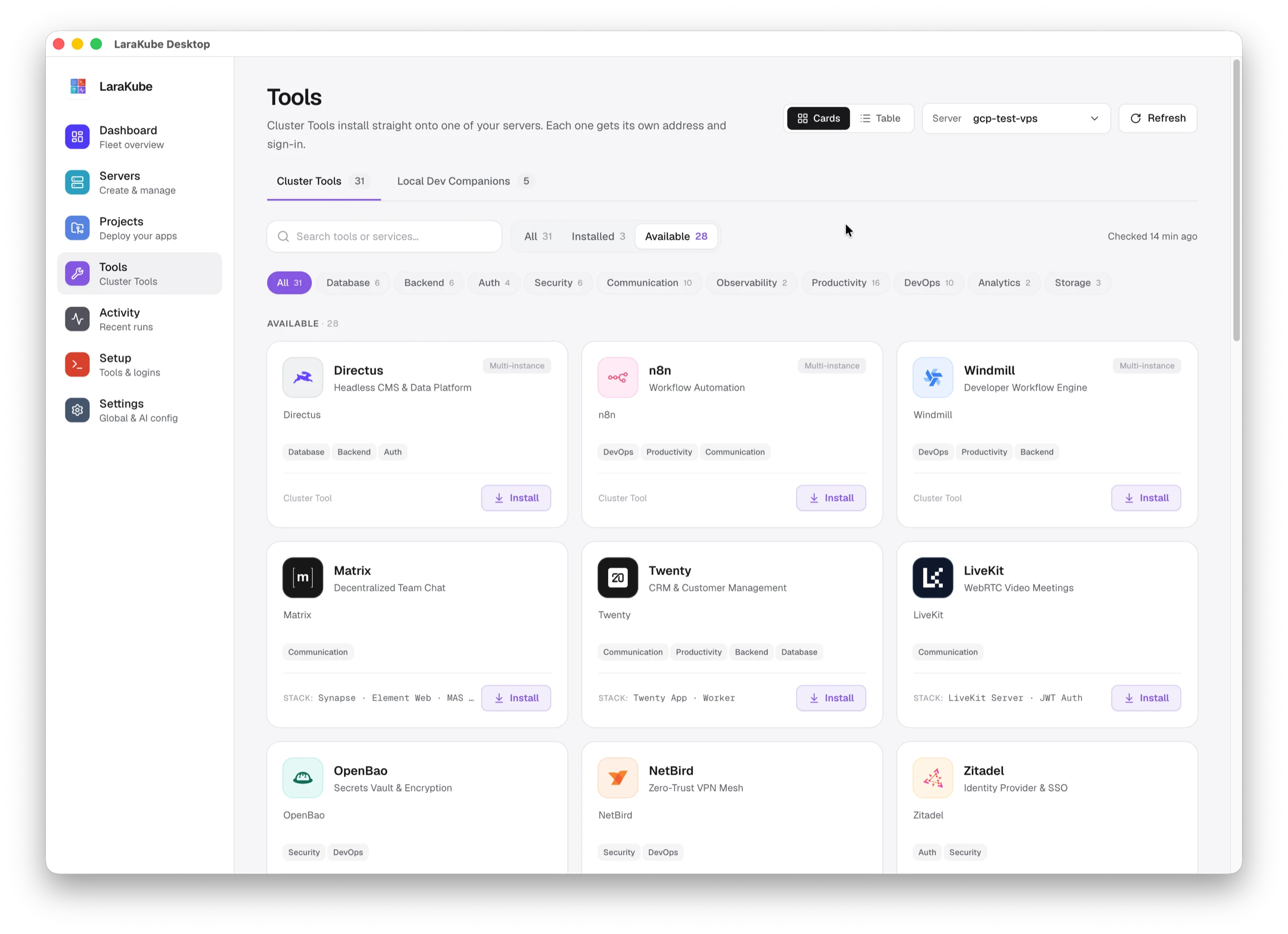
Install a tool
- Open Tools and choose your server at the top right.
- Find the tool. Use the search box, the Installed and Available filters, or a category such as Communication or Security.
- Press Install.
Installed tools show their address and a Visit link. Manage opens the tool's page. Tools marked Multi-instance can run more than once, using Deploy Another.
Cards or table
Switch between Cards and Table at the top. The page keeps the last list it checked and re-checks every 30 minutes. Refresh checks right away.
Local Dev Companions
The second tab lists helpers for developing on your own computer. They are not installed on a server.
The same tools are available from the command line. See Cluster Tools.