Servers
A server is where your Cluster Tools and apps run. LaraKube Desktop creates it for you and keeps a list under Servers.
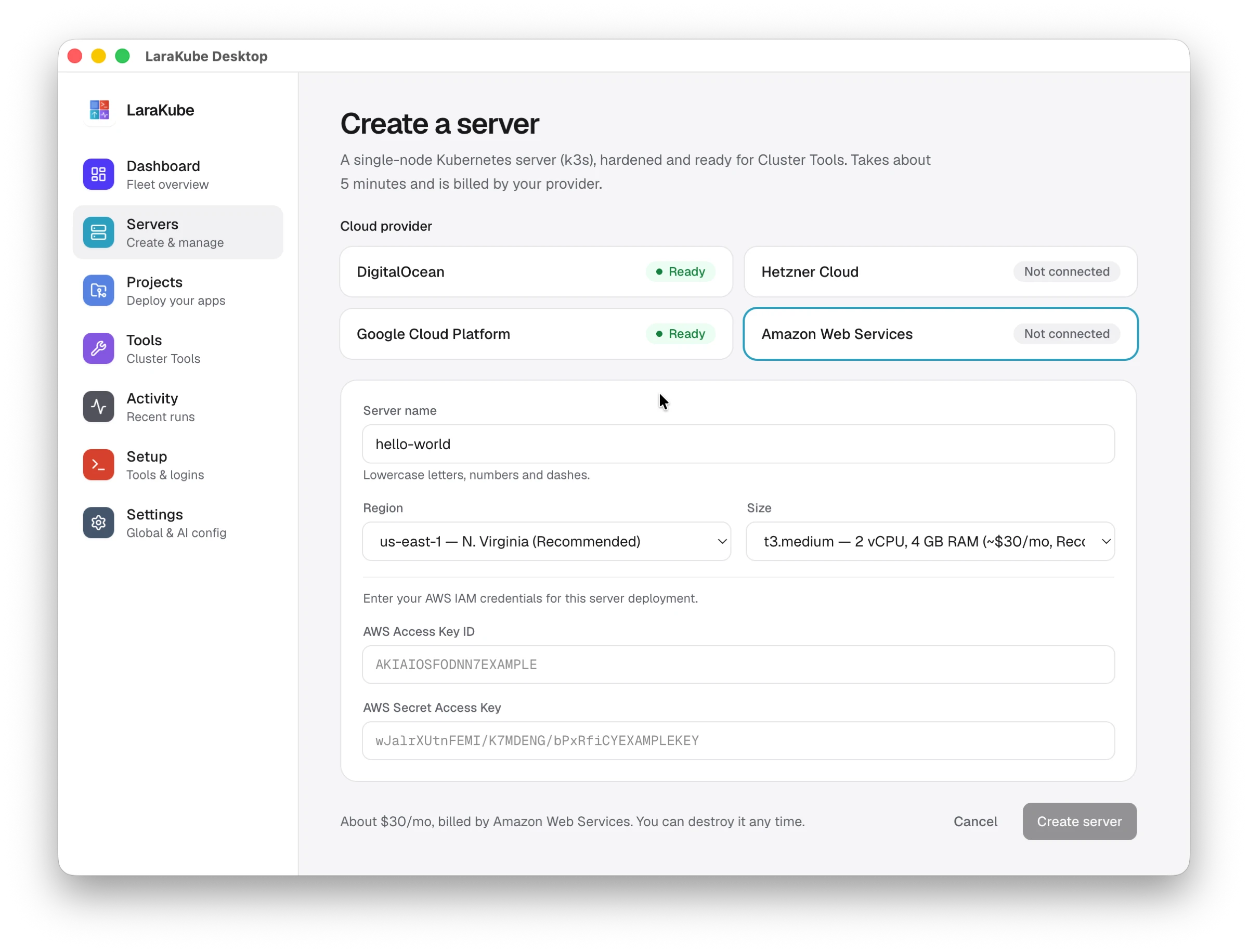
Create a server
- Open Servers → Create a server.
- Choose a cloud provider. Each one shows Ready or Not connected. Connect a provider in Setup or Settings first.
- Give the server a name (lowercase letters, numbers and dashes).
- Pick a region and a size. The page shows the approximate monthly price.
- Press Create server.
You get a single-node Kubernetes server (k3s), hardened and ready for Cluster Tools. It takes about five minutes and is billed by your provider. You can destroy it at any time.
Which providers
DigitalOcean, Hetzner Cloud, Google Cloud and Amazon Web Services. For a server you already have, see Cluster Tools and remote clusters.